Databases, terminals and tunnels on one track.
A fast, native desktop app that puts database querying, SSH terminals, tunnels and file transfer behind one connection model. It visualizes query plans, finds optimization hotspots, and lets Claude Code, Codex or Gemini CLI optimize queries through a read-only MCP server. Server workspaces, fleet commands, Docker and Kubernetes, Terraform state, runbooks and an API workbench with load tests, local mocks and contract checks sit right beside it.
Two-minute walkthrough: a query and its plan, the schema and table data, production safety, terminals, the API explorer and the secret vault.
A tour of the yard.
Everything shares one sidebar, one keychain, one palette and one assistant.
Log in to a Host once. Everything else rides along.
Hosts own SSH credentials. Terminals, file browsers and database connections tunneled “via Host” reuse the same session. Production is red everywhere, confirms destructive statements by parsing, not regex, and can be locked read-only.
Test the API, not just call it.
Load tests, mock servers and contract checks run on your machine, with no cloud quota, no account and nothing to upload.
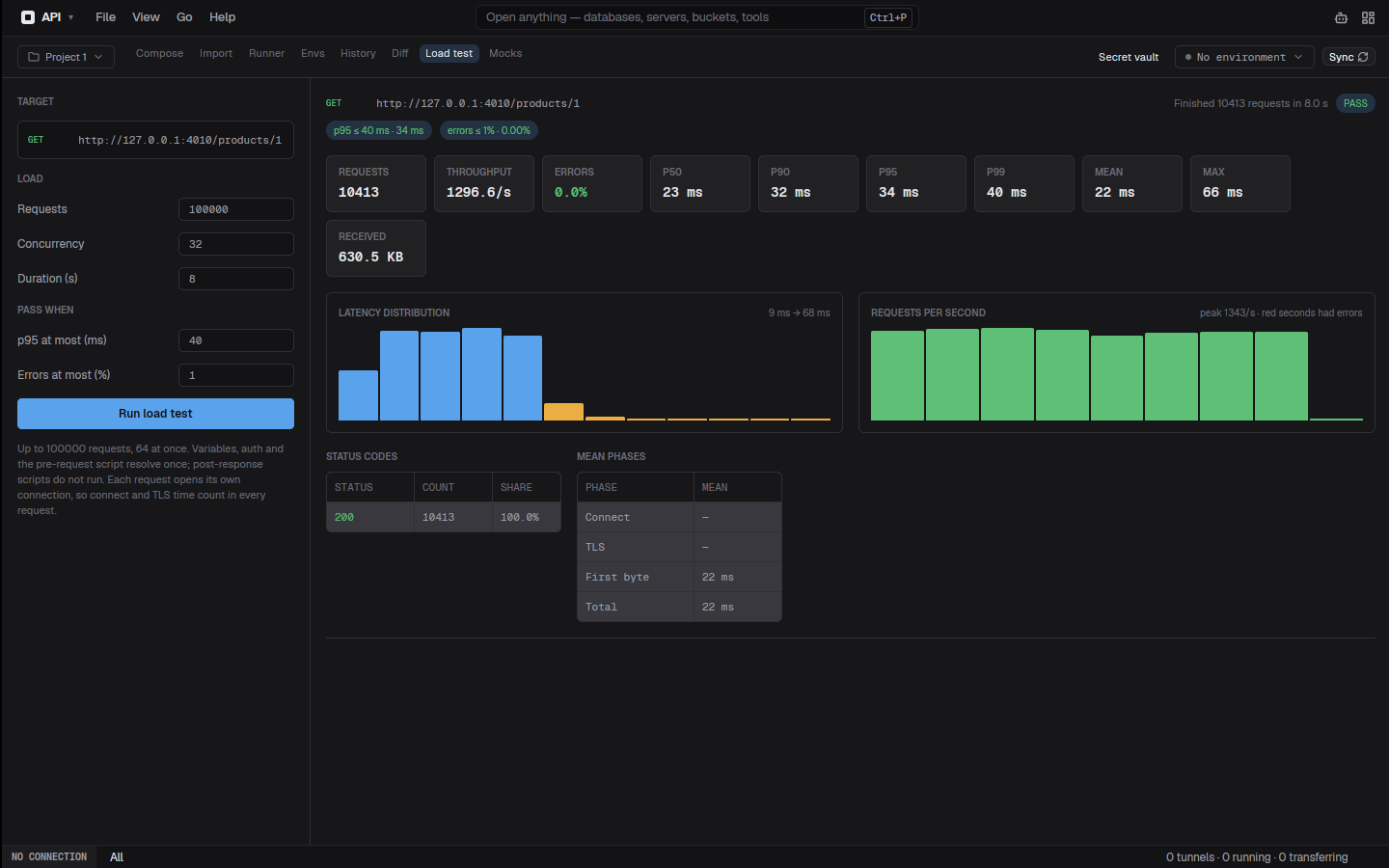
Load tests
Send a request thousands of times from up to 64 workers. p50 to p99, throughput, status codes and errors update live, and a p95 and error budget gives a pass or fail.
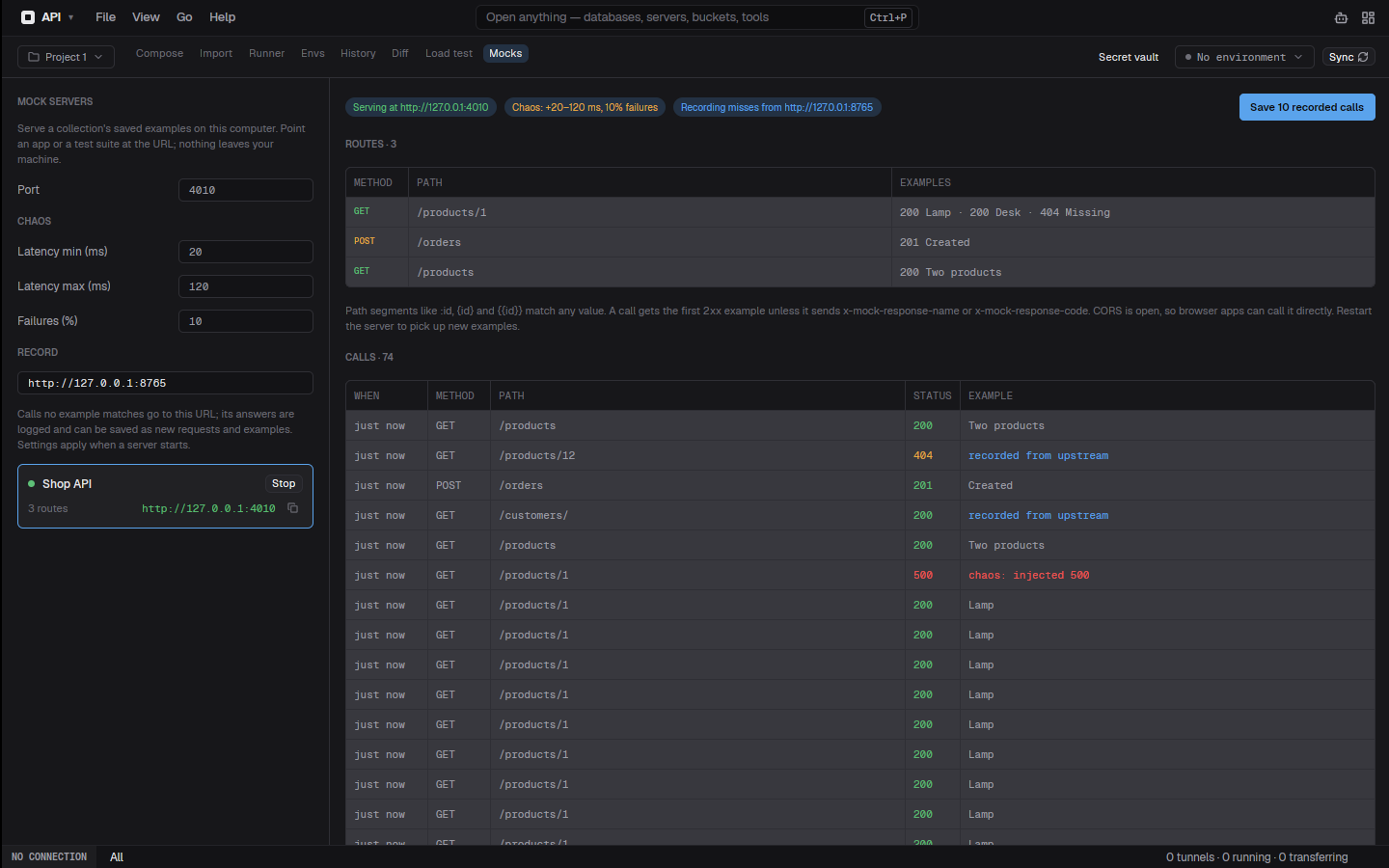
Mock servers
Serve a collection's saved examples on localhost in one click. Chaos adds latency and injected 500s; record mode forwards misses to the real API and saves its answers as new examples.
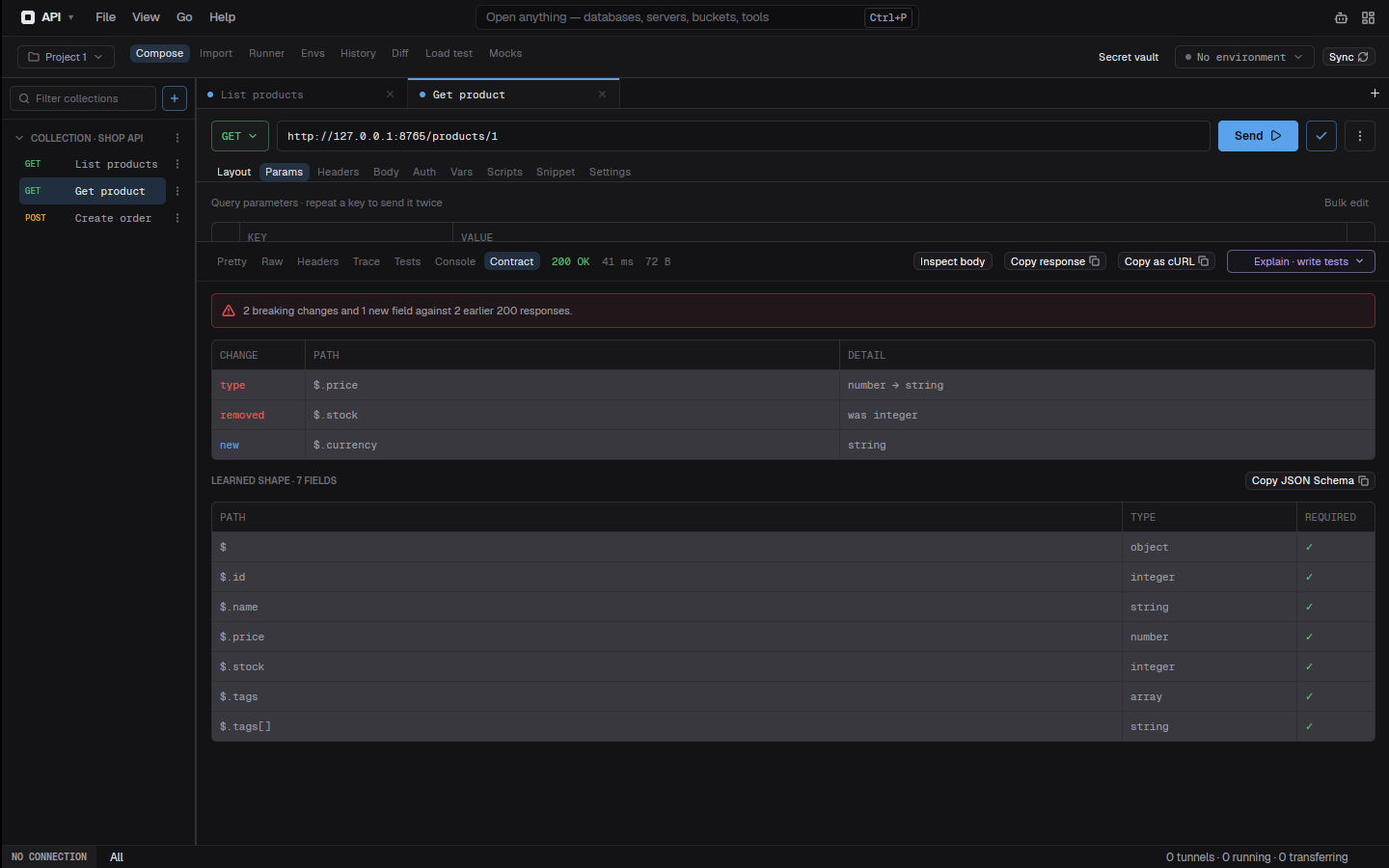
Contract drift
Every JSON response is checked against the shape learned from earlier ones. Removed fields and type changes show as breaking, with no schema to write; copy the shape as JSON Schema.
Open a folder. Start an agent. Watch what it changes.
The Files tab is a keyboard-driven, git-aware file manager, and every folder, on your machine or a server, is one click from Claude Code, Codex CLI, Gemini CLI, Aider or OpenCode.
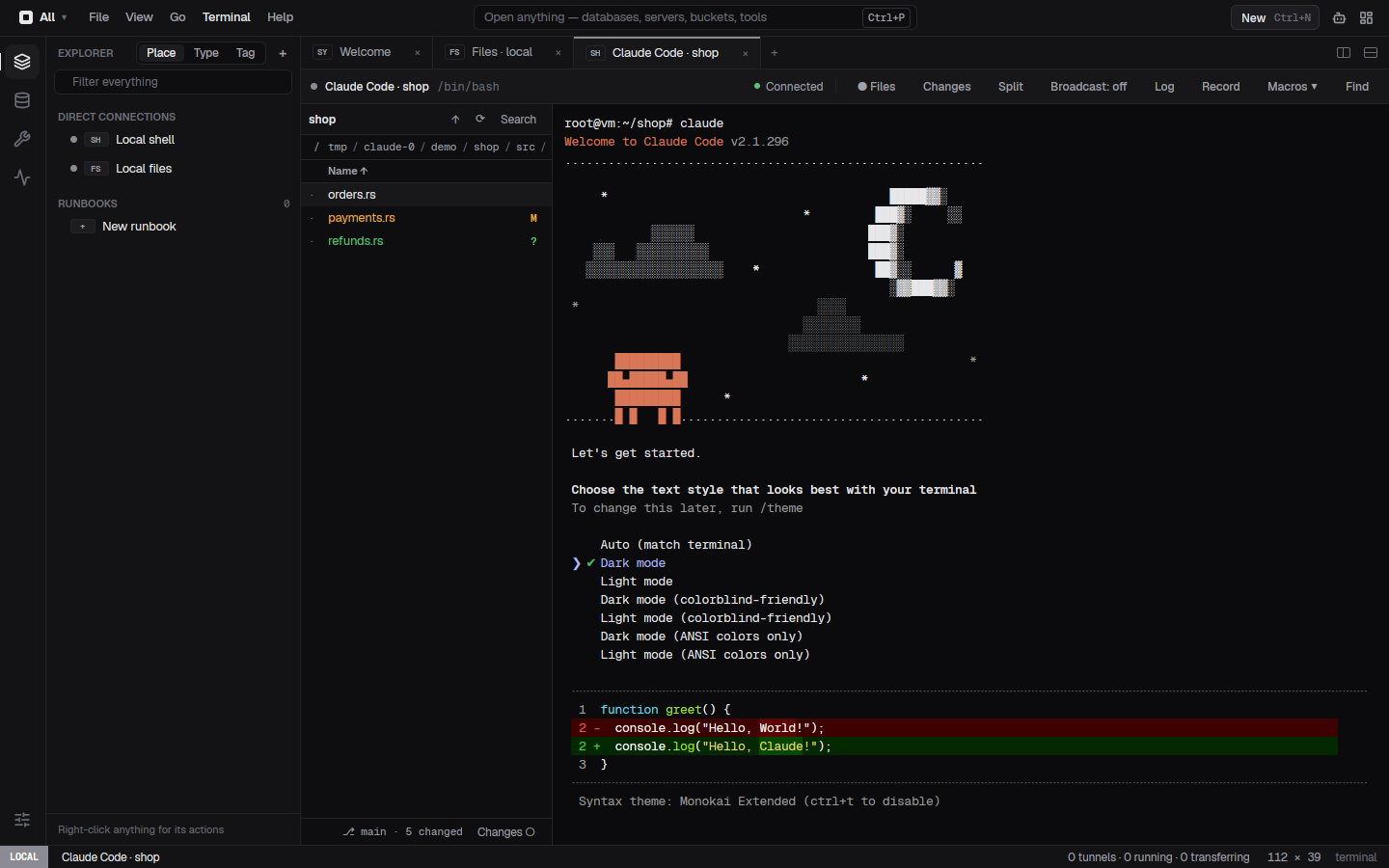
Code here
Pick a CLI from the Code menu and it opens in a coding layout: the folder's files on the left, the agent on the right, in your own shell with your own login. Installed versions show in the menu. On a Host it runs on the server, over the session you already have.
See every edit live
Folders refresh on their own. Changed files carry M, A, ? and D badges, the footer shows the branch, and one toggle narrows the list to what changed. The agent's tab has Changes for a git diff stat beside it.
Agents side by side
Start each run in a new git worktree with its own branch, so Claude Code and Codex can work on the same repository at once. The Activity pane lists every agent as working, waiting or exited, and tells you when one needs you.
Ten engines, one dialect layer.
Every SQL engine sits behind the same Driver / Dialect traits, so quoting, LIMIT vs TOP vs FETCH FIRST and script splitting are engine-aware everywhere.
Bring the coding CLI you already use.
Claude Code, Codex CLI, Gemini CLI or your own. Optimize a statement, plan a query, and get suggestion cards that open a hypothetical-index plan compare. Switchyard never reads or stores a CLI’s credentials.
- {{ s }}
{{ m }}
Your desktop changes. Switchyard follows.
On Linux, Follow Omarchy reads the active theme every two seconds and rebuilds the palette: panels shaded from its background, status and syntax colors from its terminal colors, every text color kept readable.
reads ~/.local/state/omarchy/current/theme/colors.toml
Keyboard first.
Build from source.
Pick a theme. Everything follows.
Each one runs through the same palette builder the app uses when it follows Omarchy.